AI Christmas Photo Generator

Turn your own picture into a Christmas portrait, a cozy family photo or a festive pet picture. Upload a photo, choose a holiday scene and customize the outfits, decorations and lighting.

JPG, PNG or WebP, up to 20 MB. Drop a photo here or use the + button.

Choose a scene

Christmas Photos You Can Make from Your Own Pictures

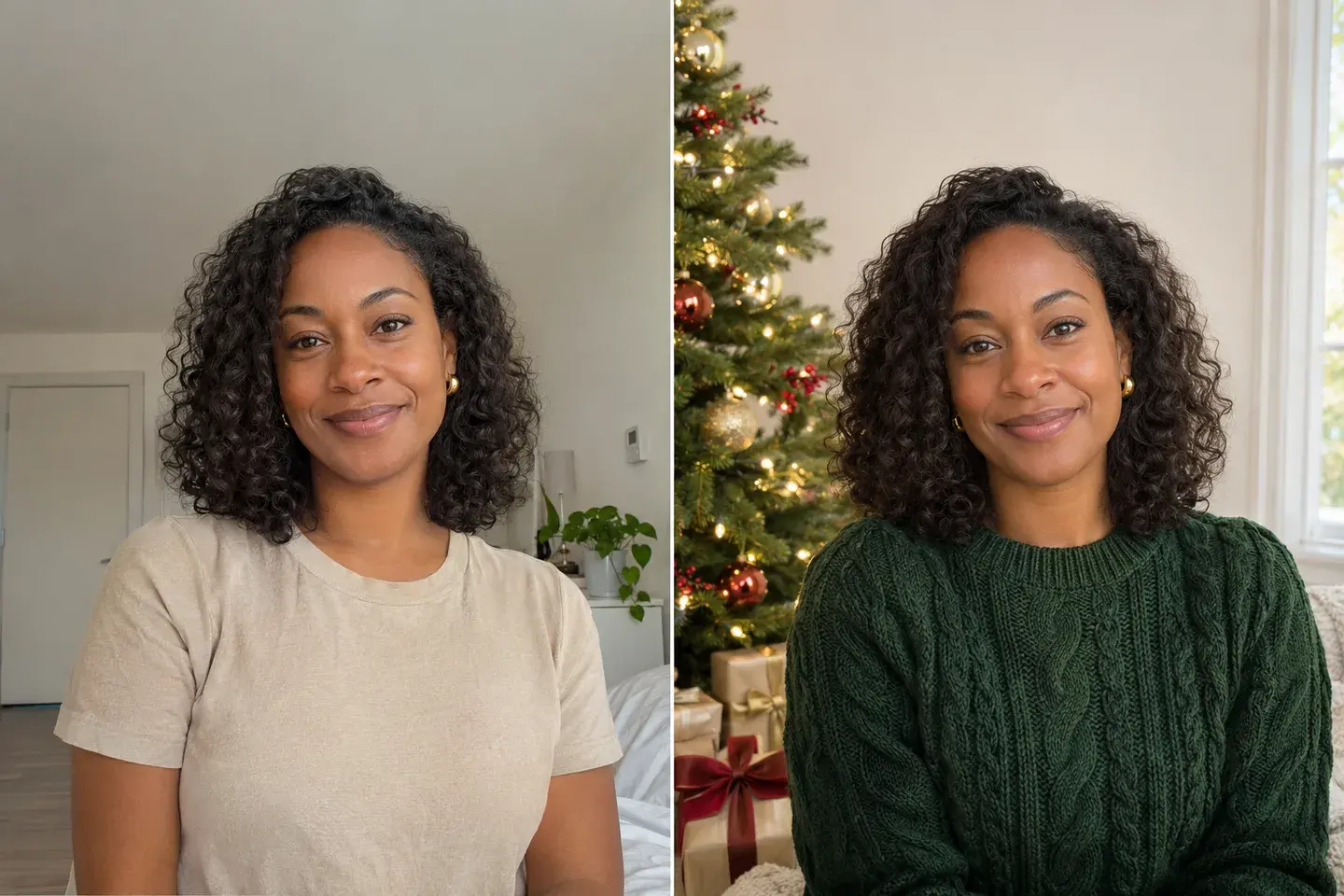
Woman with curly hair in a beige T-shirt beside a Christmas portrait wearing a green knitted sweater near a tree with red and gold ornaments.Original photoChristmas preview

Christmas Portrait by the Tree

Turn a casual portrait into a warm Christmas photo with a forest-green sweater, soft window light and a decorated tree. The preset focuses on keeping your recognizable face and hairstyle while changing the clothes and room. Adjust the colors for a classic red-and-gold look or a quieter neutral palette.
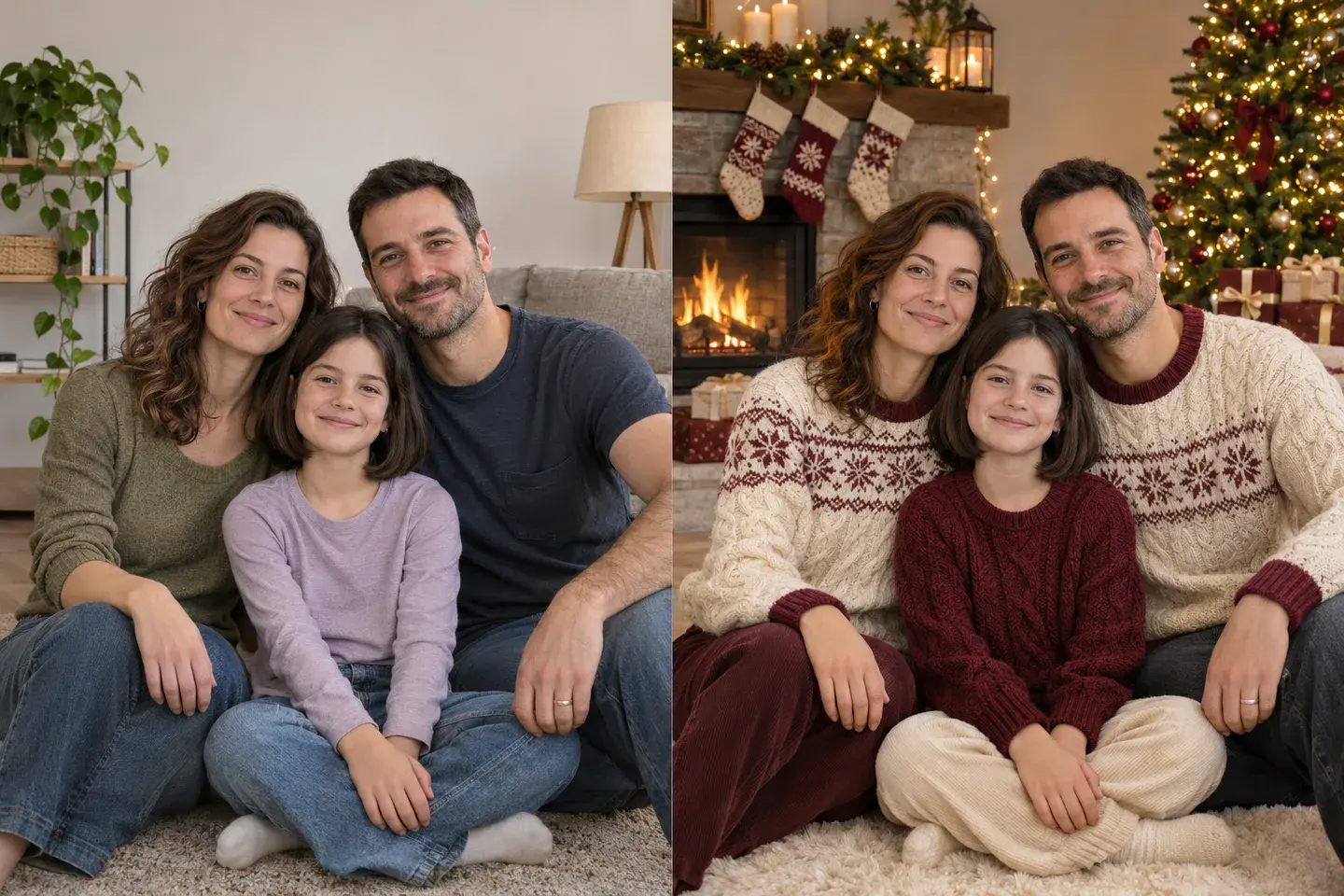
Parents and their daughter in a casual living-room photo beside a festive preview in cream and burgundy sweaters with a fireplace, stockings and Christmas tree.Original photoChristmas preview

Family Christmas Photo by the Fireplace

Use a photo of your family together to create a cozy holiday portrait. Coordinated cream and burgundy knitwear, stockings and a glowing tree set the scene, while the prompt keeps the same people and group arrangement. A couple photo works too: simply describe the people already in your reference.

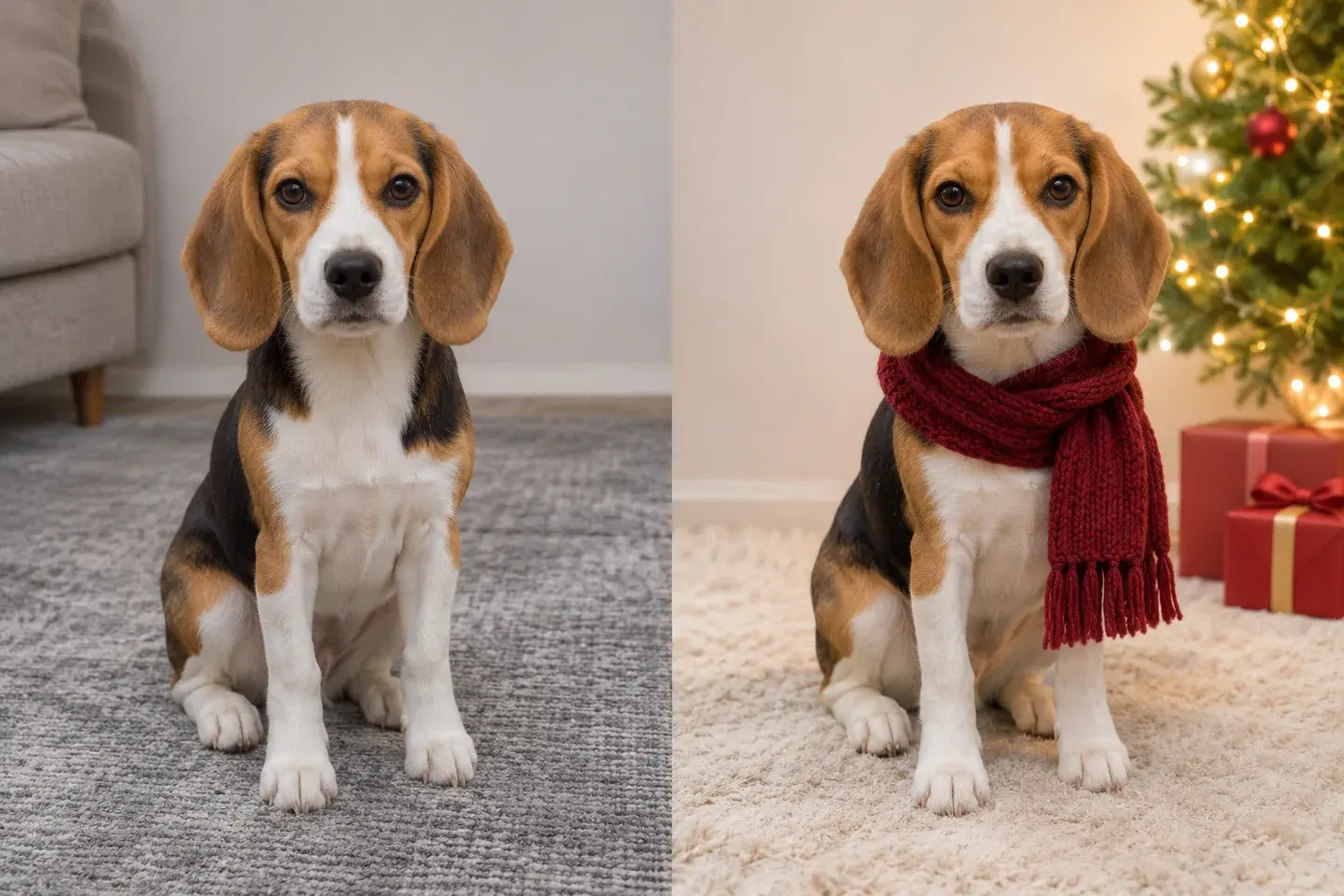
Tricolor beagle seated on a gray rug beside a Christmas preview with the same white facial blaze, a burgundy scarf, a cream rug and a decorated tree.Original photoChristmas preview

Christmas Pet Portrait

Give your dog or cat a festive portrait with a knitted scarf, a soft rug and Christmas lights in the background. The pet prompt calls out fur colors, facial markings, ears and eye color, so those defining features guide the edit. Swap the scarf color or request a scene without accessories.

Customize Your Christmas Photo

Festive Outfits and Colors

Choose matching sweaters, dressy holiday clothes or the outfits in your original photo. Name a small color palette, such as burgundy and cream, to coordinate the clothing with the decorations.

Christmas Backgrounds and Lighting

Request a decorated tree, a fireplace with stockings or a softly lit living room. Describe warm white lights and natural skin tones to create a cozy scene without an overpowering color cast.

Recognizable Faces and Pet Markings

Use clear reference photos and identify the features that matter: a hairstyle, glasses, a dog’s white blaze or a cat’s striped coat. For groups, specify the same people, ages and arrangement throughout the edit.

How to Generate Your AI Christmas Photo

  1. Upload a Personal, Family or Pet Photo

    Upload one JPG, PNG or WebP photo up to 20 MB. Choose a sharp portrait, a group picture with everyone visible or a pet photo with clear fur markings. For a family portrait, start with everyone together in one image.

  2. Choose Your Christmas Scene

    Select Christmas portrait, Family by the fire or Christmas pet photo. Edit the suggested prompt to change the setting, clothes or decorations. Choose the photo format and resolution you want.

  3. Generate and Save Your Photo

    Sign in and check the credit cost shown on the Generate button. Generate your image, review the result and download it. You can also find your completed photo in My Generations.

Create a Photo for Your Christmas Card

Leave Space for Your Greeting

Ask for uncluttered space above or beside the subject when generating the picture. Download the image and add your greeting, names and year in a card layout editor, where you can set the exact font, spelling and position.

Choose Your Crop Before Printing

Select a portrait format for an individual or pet, or a wider frame for a family. Keep faces and hands away from the edges. Before ordering cards, check the downloaded image’s dimensions against your printer’s requirements and inspect the final crop.

Need a larger image for your chosen layout? Use the image upscaler as a separate finishing step.

AI Christmas Photo Prompts

These prompts work with the photo you upload. Apply a preset to the generator, then personalize the outfit, background and colors for your own Christmas picture.

Christmas Portrait Prompt

Read the full prompt

Turn my uploaded portrait into a realistic Christmas photo. Preserve my recognizable face, age, skin tone, hairstyle, expression and natural proportions. Dress me in a forest-green knitted sweater and place me beside a Christmas tree with warm white fairy lights, red and gold ornaments and a few wrapped gifts. Use a waist-up composition, soft window light and a gently blurred room. Keep skin and knit textures natural, with warm highlights rather than an orange tint. Leave a little uncluttered space above my head for a greeting I can add later. No writing, logo or watermark.

Family Christmas Photo Prompt

Read the full prompt

Use my uploaded group photo to create a realistic Christmas family portrait. Keep exactly the same people, recognizable faces, ages, skin tones, hairstyles, relative heights and group arrangement. Dress everyone in coordinated cream and burgundy knitted sweaters. Place the group together in a cozy living room beside a fireplace with stockings and a Christmas tree with warm white lights. Use soft natural-looking light on every face and keep all faces sharp. Preserve natural body proportions, hand placement and the space between people. Leave uncluttered room around the group for cropping into a holiday card. No additional people, text, letters or logos.

Christmas Pet Photo Prompt

Read the full prompt

Create a realistic Christmas portrait of the pet in my uploaded photo. Preserve the exact species, recognizable face, fur colors and distinctive markings, ear shape, eye color, size and natural body proportions. Keep the pet's seated pose and add a simple burgundy knitted scarf without covering its face or ears. Place the pet on a soft cream rug beside a softly glowing Christmas tree and a few wrapped gifts. Keep ornaments in the background and away from the pet's mouth. Use warm, soft light, detailed natural fur and a gently blurred background. Leave some uncluttered space above the pet for a card greeting to be added later. No text, extra animals or extra limbs.

AI Christmas Photo Generator FAQs

Can I turn a selfie into a Christmas photo?

Yes. Upload a clear selfie and choose Christmas portrait. The prompt asks the AI to keep your recognizable face while creating a festive outfit and setting. A photo showing your head and shoulders gives the model more information about your appearance.

Can I create a family Christmas photo from separate selfies?

This page accepts one reference image at a time. For a family portrait, upload an existing group photo with everyone you want in the result. The family preset then changes the clothing and setting while asking the AI to preserve the people and their arrangement.

Does it work for dogs and cats?

Yes. Select Christmas pet photo and upload a clear picture of your pet. Add any distinctive fur patterns, eye color or features to the prompt. You can request a scarf, keep the pet without accessories or change the festive background.

Can we keep our original outfits?

Yes. Replace the preset’s sweater instructions with “keep the original clothes, colors, patterns and accessories.” Then describe only the Christmas decorations and lighting you want to add.

Can I add a greeting to my Christmas photo?

You can include a greeting request in the prompt, but this page does not include a separate text layout editor. For precise names, fonts and positioning, generate the photo with space for a greeting, then add your text in a card editor after downloading.

Is the AI Christmas photo generator free?

Generating an image uses account credits. The cost depends on the selected model and resolution and is displayed before generation. Sign in to see your balance and check the pricing page for current options.

Can I print the generated photo on Christmas cards?

You can download the image and use it in your card design. Choose a suitable resolution before generating, then check the image dimensions, faces and crop at the intended print size. Your print service can confirm the required dimensions and safe margins.

View current pricing · Privacy policy