AI 3D Month Letter Photo Generator

Upload your photo and use AI to place yourself beside big, glossy month letters. Choose your month, keep your own outfit and add tiny mini-me figures if you like.

Upload your photo

JPG, PNG or WebP. Drop your photo here or use the + button.

Choose a starting instruction

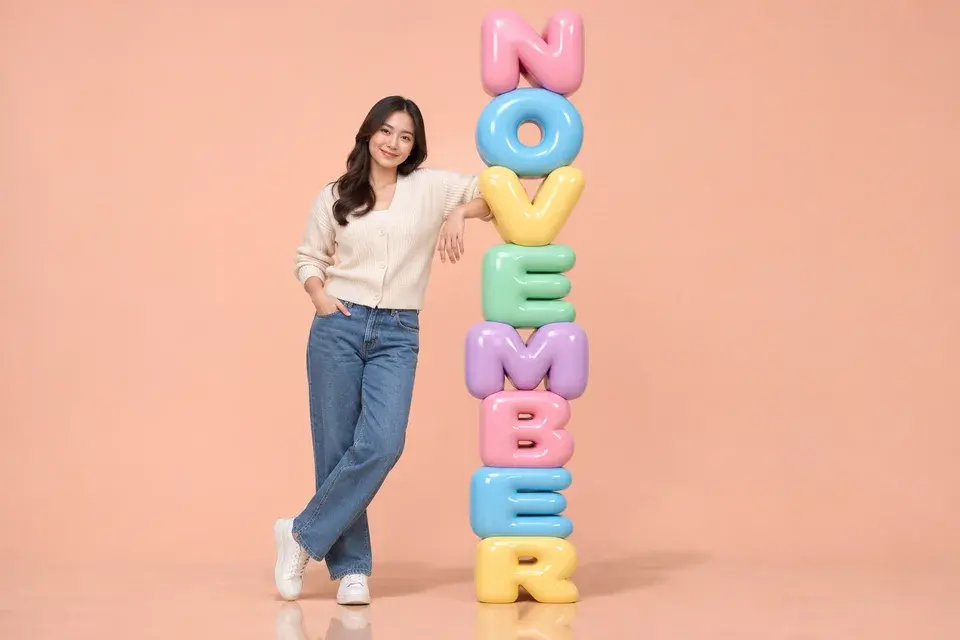
One subject beside NOVEMBER letters; edit the prompt to customize the scene.

Three portraits from the 3D month letters AI photo generator

NOVEMBER in pastel inflated letters beside a casual full-body portrait.

A welcome-month portrait with your everyday outfit

Use the 3D month letters AI photo generator to mark a fresh month with a portrait that still looks like you. A cardigan, jeans and sneakers can work just as well as a party outfit. The large letters supply the playful setting, while the person remains the center of the image. A pale backdrop gives the colors room to stand out.

Upload a photo that shows your outfit from head to toe if the shoes and silhouette matter. Choose NOVEMBER or any other month, keep the single-subject instructions and describe the background color you prefer. Long words need more vertical space, so a tall frame helps fit every letter while keeping the person comfortably inside the composition.
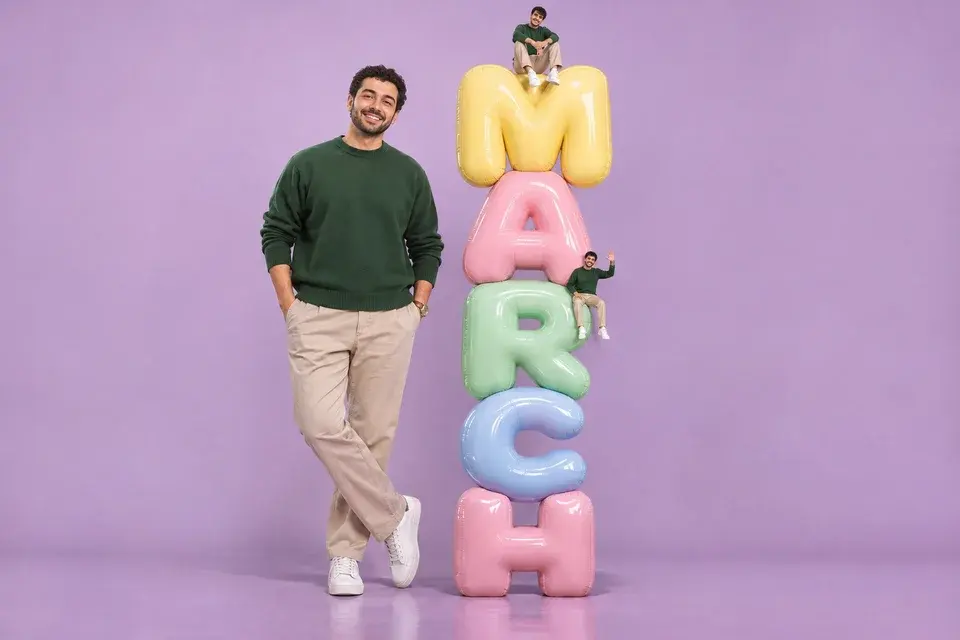
MARCH birthday styling with two small matching figures on the letters.

A birth-month picture with little versions of you

For a birthday post, the 3D month letters AI photo generator can place two mini-me figures around the same month stack. Their matching clothes and poses make the scene feel personal without needing another upload. Keep the main portrait large enough to show your face, and use the smaller characters as playful details around it.

Choose the Mini-me birthday preset, then replace MARCH in the prompt with your birth month. Ask for the same sweater, trousers and shoes across all figures, then choose a quiet studio color that complements the outfit. A short word offers larger letters and more space between props. Check the small figures as well as the main face before saving your favorite version.

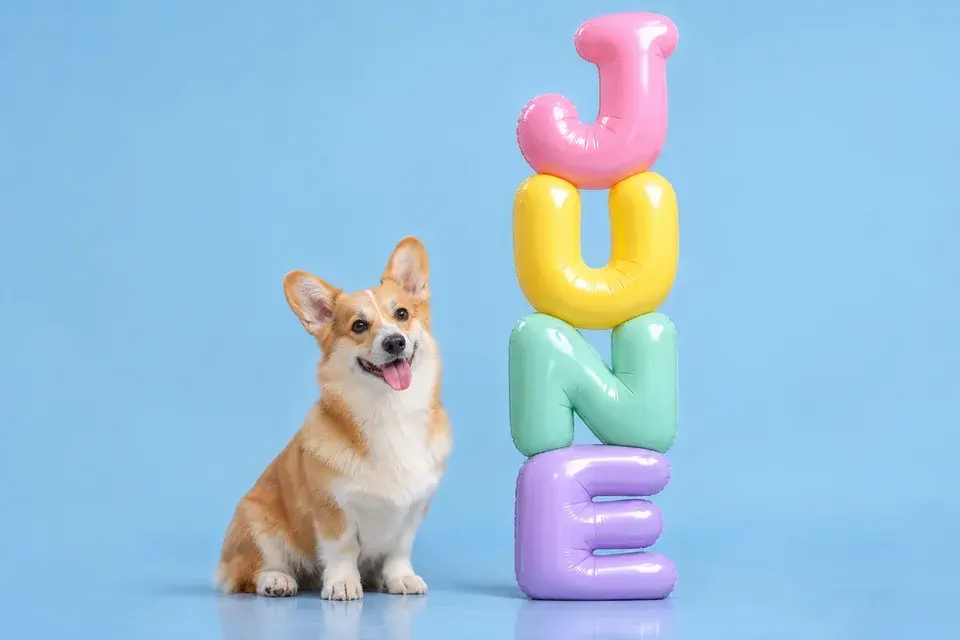
A corgi beside JUNE letters in a clean blue studio setting.

Give a pet its own month portrait

The 3D month letters AI photo generator also accepts a pet photograph. A dog or cat can sit beside its birthday or adoption month, with glossy letters scaled to suit the animal. Soft studio light keeps fur markings visible, and a simple floor gives paws and letter bases a believable place to rest.

Use a clear reference showing the animal's face, ears and coat pattern. Keep the single-subject instructions for a single-pet portrait and mention distinctive features such as a white chest, dark ear or favorite collar. Choose a background that separates the fur from the letters. A square frame can work well for a pet profile image, while a tall frame gives longer months more room.

Create your own month-letter portrait

The 3D month letters AI photo generator creates a still picture of you or your pet beside a stack of rounded, inflated letters. Choose a birth month, welcome the next month or make a playful profile image. The editor combines your reference photo with the selected spelling, a clean studio setting and soft pastel materials. You can keep the composition simple or add two tiny versions of the same subject perched on the letters.

Customize your month portrait

Choose any month in the 3D month letters AI photo generator

The preset instructions include January through December. Each choice supplies the complete uppercase word and its letter-by-letter spelling to the editing brief. That makes it easy to create birthday images, seasonal welcome posts and a series across the year without rewriting the month instructions yourself. The result is a single still image that you can compare with the reference.

The composition changes with the length of the word. MAY can use three generous letters, while SEPTEMBER needs a taller stack and more space around the subject. Start with Story 9:16 for a long month, or choose Portrait 3:4 for a shorter portrait. Keep the full word inside the frame and review every letter before downloading.

Keep the outfit that makes the portrait yours

The 3D month letters AI photo generator includes instructions to retain your face, hair, clothing and shoes from the reference. Your extra notes can protect a favorite jacket, a distinctive pair of glasses or an outfit color. For a pet, the same brief prioritizes the face, ear shape, coat colors and recognizable markings.

Use a photograph with enough detail for the composition you want. A full-body reference gives the model more information about trouser shape, footwear and stance. If you start with a close selfie, describe the rest of the outfit and the desired pose clearly. Keep the styling request focused so the letter sculpture adds interest without replacing your personal look.

Shape the studio, colors and little details

You can guide the 3D month letters AI photo generator with plain-language details such as ‘lavender studio, peach and yellow letters, keep my green sweater.’ Rounded inflated letters, gentle reflections and a clean background are already part of the brief. Your notes can change the palette, request a seated pose or make the scene feel more celebratory.

For a calm result, use two or three coordinated pastel colors and leave extra props out. For a playful birthday image, add the mini-me figures while keeping the main portrait and letters easy to read. Name the changes in order of importance. After generation, adjust one detail at a time from the original reference so you can tell which choice improved the picture.

How to use the 3D month letters AI photo generator

  1. Choose your reference

    Upload one JPG, PNG or WebP image. A clear solo portrait or pet photo works well. Include the full outfit if you want to keep the shoes and clothing shape. You can select a file before signing in; generation uses your account and the displayed credits.

  2. Pick the month and scene details

    Choose a month preset or the Mini-me birthday option, then edit the prompt for the exact month, palette and figure count you want. The 3D month letters AI photo generator supplies the spelling and studio instructions. Use the image size control to choose a tall, square or original-proportion result.

  3. Review the portrait and word

    Inspect the main face, outfit, every letter and any small figures. Compare the result with the reference used for that generation. Download is available through the site's purchase access. If you want a different color or pose, return to your original source and make a focused adjustment.

Pick a composition that fits your post

ChooseUse it for
Welcome-month portraitOne person, a readable month stack and a quiet pastel studio for a new-month post.
Birthday mini-me sceneA main portrait plus two matching little figures for a playful birth-month celebration.
Pet month pictureOne recognizable pet and a clear letter stack for a birthday, adoption month or profile picture.

3D month letters AI photo generator questions

Can I choose a month other than November?

Yes. The 3D month letters AI photo generator includes all twelve months in the preset choices. The chosen month is included in the generation brief with its exact letter order. Choose your birth month, an adoption month or the month you want to welcome; you do not need to change the prompt manually.

Can the 3D month letters AI photo generator leave the tiny figures out?

Yes. Each month preset asks for one main subject only. Choose Mini-me birthday when you want two little versions of the same person, then edit the month in the prompt. You can also describe the desired figure count directly to choose between a clean portrait and a playful composition.

What kind of photo should I upload?

Use a sharp photograph with a visible face and natural light. A full-body image is useful when you want the same complete outfit and shoes. For a pet, show the ears, face and coat pattern clearly. Avoid covering important details with stickers or text.

How can I improve a misspelled or cropped month?

Check the full word before saving. If a letter is unclear, regenerate from the source and ask for larger, separated letters with no figures covering them. Choose a taller output for a long month and request generous space above and below the entire stack.

Is the output a photo or a video?

This page generates a still image. It is designed for portraits, birthday posts and month-themed pictures, with a photo reference and a studio composition. Select the output shape for the place you plan to share it, such as a tall story or a square profile post.

Can I change the letter colors and keep my clothes?

Yes. Describe the desired palette in the prompt box and mention the clothes to retain. For example, request pale yellow and pink letters while keeping your blue jacket and white sneakers. The built-in brief already prioritizes your reference outfit unless you explicitly request different clothing.

View current pricing · Privacy policy

Make your month a portrait

Choose a photo and a month in the 3D month letters AI photo generator, then give the studio scene your own colors and personality.

Create my AI month portrait