
Repair visible damage
Restore old photos by cleaning up scratches, dust, stains, creases, and surface marks while keeping the original photo feeling natural.
AI photo restoration
Restore old photos that are damaged, faded, blurry, or black-and-white with a prompt-based AI photo editor. Upload an old photo, describe the repair, and restore old photos into cleaner results in seconds.
Optional reference image
Leave empty to generate directly from text prompt
Edited images will appear here.
Small repairs, preserved memory
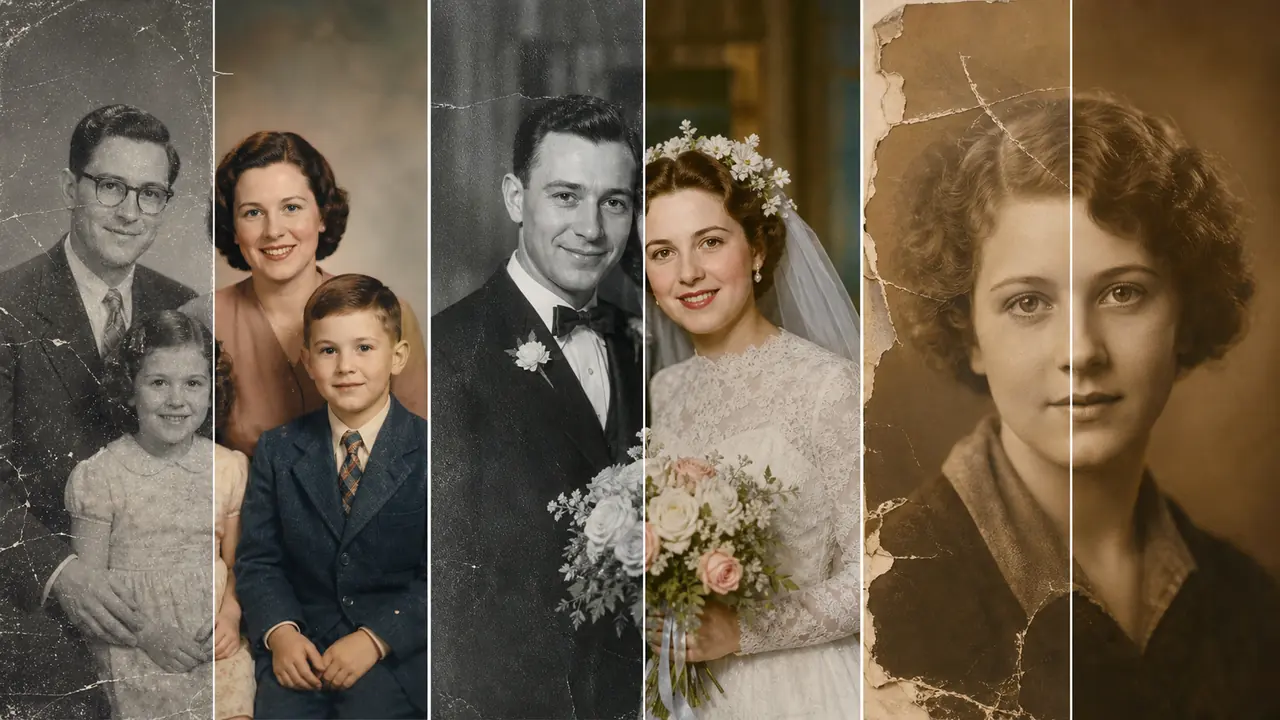
Restore old photos by cleaning up scratches, dust, stains, creases, and surface marks while keeping the original photo feeling natural.
Restore old photos with sharper faces, better lighting, and family portraits that are easier to preserve, print, and share.
Restore old photos with warmer tones or colorize black-and-white photos with a realistic, archival look.
The editor starts with a restoration prompt, so you can restore old photos by focusing on what needs fixing instead of setting up layers, masks, or manual retouching.
Old portraits, wedding photos, school pictures, travel prints, and scanned albums can be repaired with the same upload-and-prompt workflow.
Run a first restoration, adjust the prompt for color or sharpness, and generate another version without rebuilding the edit from scratch.
Add a JPG, PNG, or WebP scan or phone capture. A clearer source image usually gives the AI more detail when you restore old photos.
Ask the editor to restore old photos by removing scratches, fixing tears, enhancing faces, colorizing, or restoring faded lighting and contrast.
Review the restored result, refine the prompt if needed, then download the improved photo.
Start with repair language, then add only the details you want preserved.
Yes. Upload the photo and describe the scratches, dust, tears, or stains you want repaired. Results depend on the quality of the original image, but this workflow is designed to restore old photos quickly.
Yes. Include colorization in the prompt if you want the editor to add natural-looking skin tones, clothing colors, and background color.
The goal is to enhance and clarify faces while preserving identity. For best results, ask for natural restoration and avoid heavy beautification language.
The editor supports common upload formats including JPG, PNG, and WebP.