A clearer sky, with the property in focus.

Real Estate Sky Replacement

Give a cloudy property photo a different daytime sky with real estate sky replacement. Upload an exterior image, describe a clear or softly clouded sky, and ask the editor to retain the building, landscaping and original viewpoint. Review the roofline and lighting before downloading.

Upload your property or room photo

JPG, PNG or WebP. Use a clear photo with visible architectural details.

Open, create, download.

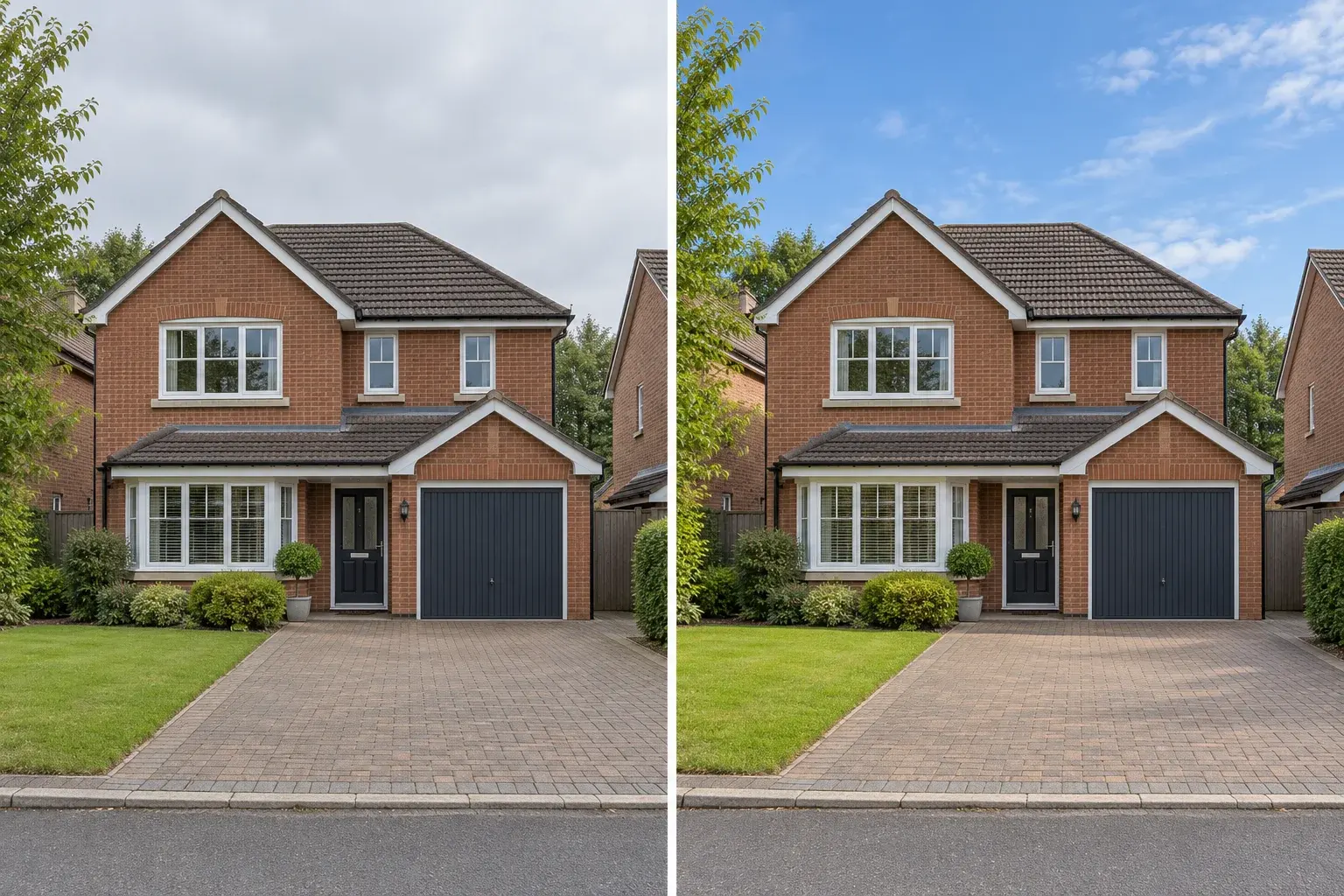
Illustrative brick house under a gray sky beside a daytime blue-sky version
AI-generated concept illustration. This comparison explains the editing goal; it is not a verified output from this tool.

Real estate sky replacement starts at the roofline

A sky change can draw attention to an exterior without asking for a different building. Real estate sky replacement needs a believable transition around roofs, chimneys, branches and fine wires. Start with a sharp photograph and choose a sky that matches the season and camera direction. Keep permanent fixtures and landscaping in the prompt. Look closely at thin edges after generation: a clean-looking sky at thumbnail size can still contain halos, missing branches or altered roof details when viewed more closely.
Match the sky to the light on the house

A bright blue sky above a heavily shadowed facade can look disconnected. Real estate sky replacement is more convincing when the requested clouds and overall contrast fit the original photograph. For an overcast source, try soft blue with light clouds rather than a hard midday sun. Ask for restrained light matching while keeping materials recognizable. Reflections in windows, pools and polished surfaces should also make sense with the new sky, even when those areas occupy only a small part of the frame.

Real Estate Sky Replacement prompt ideas

Copy a prompt or load it into the editor, then adjust it for your photo. Loading a preset keeps your uploaded images and does not start generation.

Soft blue sky

A restrained daytime change for a gray-sky property photo.

Prompt

Replace the gray sky in this property exterior photo with a soft natural blue sky and a few high white clouds. Preserve the building, roofline, chimney, windows, doors, trees, fence and camera viewpoint. Keep the house materials and condition unchanged. Match the sky brightness gently to the existing scene. Preserve fine branches and avoid bright halos along the roof. Do not turn the scene into sunset or night.

Bright overcast

Keep diffuse light while improving a dull sky.

Prompt

Give this exterior property photograph a brighter, lightly clouded daytime sky. Keep diffuse illumination rather than strong direct sun, matching the original house lighting. Preserve the roof, windows, landscaping, driveway and all fixed features. Keep tree silhouettes and overhead lines where visible. Do not add new scenery or change the camera angle. Avoid extreme contrast, dramatic storm clouds and oversaturated colors.

Natural afternoon

Explore gentle afternoon color without an evening conversion.

Prompt

Change the sky above this house to a quiet pale-blue afternoon sky with modest soft clouds. Retain the same property, architectural openings, roof details, garden and viewpoint. Make any light adjustment subtle and coherent with the existing shadows. Keep window and water reflections plausible without adding new objects. Avoid sunset orange, exaggerated sun rays, glowing outlines or alterations to the building.

Read the virtual staging prompt guide for furnishing briefs, reference instructions and troubleshooting.

How to use real estate sky replacement

  1. Step 1

    Choose a sharp exterior view

    Upload a photograph with a visible sky and clearly defined roof edges. Real estate sky replacement is harder when compression or motion blur merges branches into the background.

  2. Step 2

    Select the daytime atmosphere

    Choose a soft blue or lightly clouded sky and describe the light you want to retain. Keep the original building and garden features explicit in the brief.

  3. Step 3

    Inspect edges and reflections

    Compare the roofline, tree branches, wires and windows with the source. Save the result only after checking that the new sky belongs naturally in the scene.

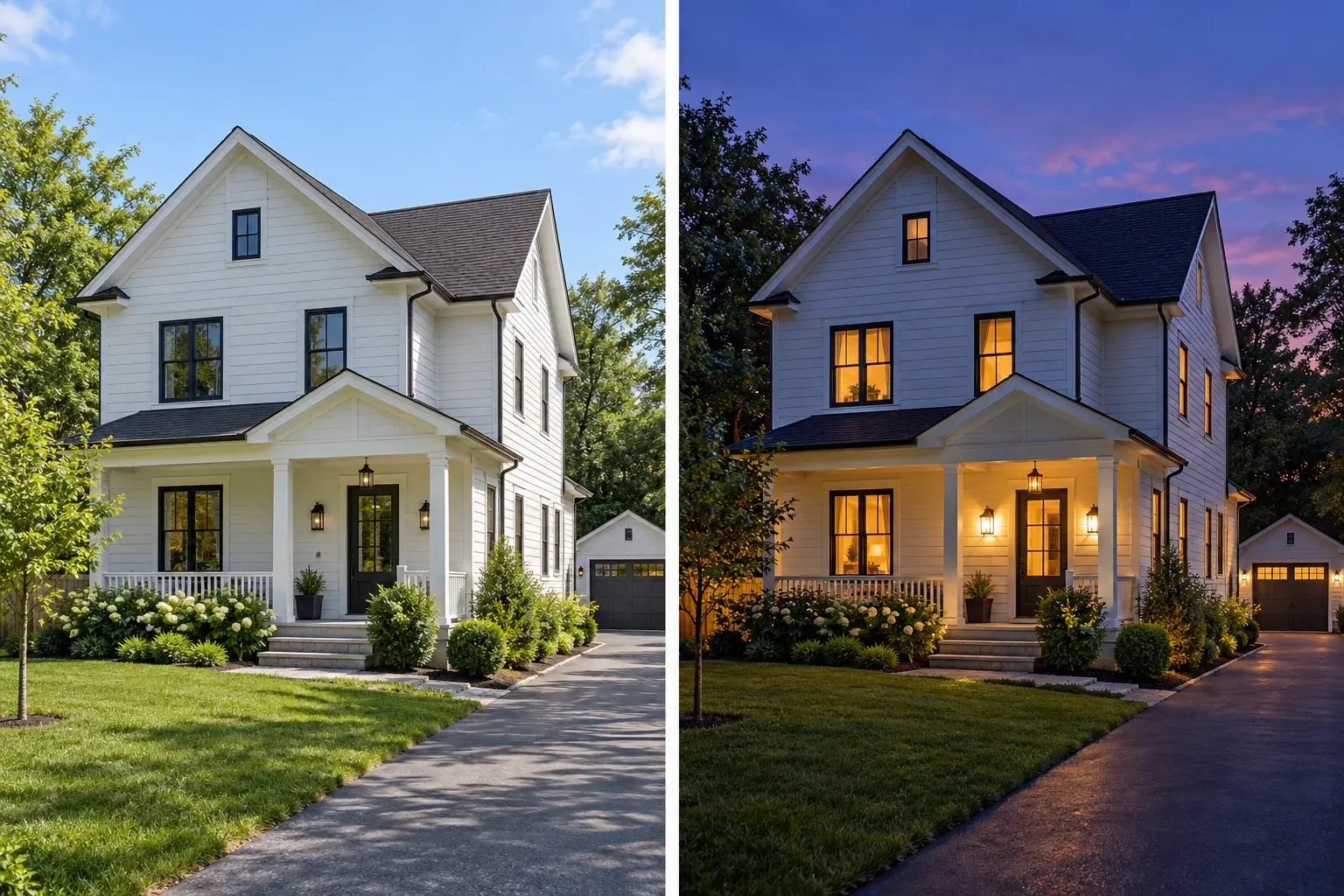
Illustrative daytime house and an evening treatment for comparison
Illustrative design comparison, generated with AI. Use it to understand the workflow rather than predict an exact result.

Keep daytime replacement separate from twilight conversion

Use real estate sky replacement when the goal is a cleaner daytime exterior. An evening scene needs a broader lighting change across the facade, windows and garden. The twilight illustration shows that separate effect. If you want warm windows and a blue-hour atmosphere, switch to the day-to-dusk tool and use its lighting brief. Keeping these tasks distinct helps you compare results and avoids asking for a dark sky while leaving the house in unmistakable midday light.

Prepare a realistic real estate sky replacement

Use the highest-quality original you have and avoid repeated screenshot compression. A sky occupying a modest part of the frame is enough; the property should remain the main subject. Real estate sky replacement cannot reliably preserve every fine edge from a blurry source. If the result removes an antenna or changes a chimney, return to the original and simplify the request. For exact masking around complex branches or roof ornaments, a dedicated manual masking workflow may provide more control.

Real Estate Sky Replacement: practical questions

Can real estate sky replacement keep trees and overhead wires?

Ask to preserve them and begin with a sharp source image. Very fine lines may still disappear or change. Inspect the result at a useful viewing size and reject edits that remove important features or produce obvious halos around branches.

Can I upload my own sky as another reference?

With a model that accepts multiple reference images, you can supply the property first and the sky second, then describe their roles. The result is a generated interpretation, not an exact masked composite or a guaranteed copy of the reference sky.

Does real estate sky replacement change the building?

The prompt asks to retain it, but generative editing can redraw details. Compare the roof shape, chimney, window openings and facade material with your original. A sky that looks appealing is not sufficient if the property has changed.

What if the new sky does not match a pool reflection?

Request coherent sky reflections while preserving the pool shape and surrounding features. Keep the lighting direction simple. If exact reflections matter, use a dedicated compositing workflow where the sky and reflection can be adjusted separately.

Should I choose a blue sky or an evening sky?

Choose a gentle daytime sky when the house already has daylight illumination. Choose the day-to-dusk tool for a full evening atmosphere, including ambient light and existing windows. Mixing the two without adjusting the scene can produce an unnatural result.

Can I replace a completely white sky?

You can request a new sky, but the original may lack detail along bright roof or tree edges. The editor has to interpret those boundaries. Compare the resulting silhouette carefully and use a better-exposed photograph when important edges are missing.

Each generation uses the credits shown in the editor. View credit packages when you need more.

Try real estate sky replacement on your exterior

Start with your own photograph, choose a focused brief and review the result against the original.

Start editing