One exterior. A different hour.

AI Day to Dusk Photo Editor

Turn a daytime property photo into a twilight concept with AI day to dusk editing. Explore a warm sunset, a soft blue hour or a subtle evening look while asking the editor to retain the house, garden and original camera viewpoint.

Upload your property or room photo

JPG, PNG or WebP. Use a clear photo with visible architectural details.

Open, create, download.

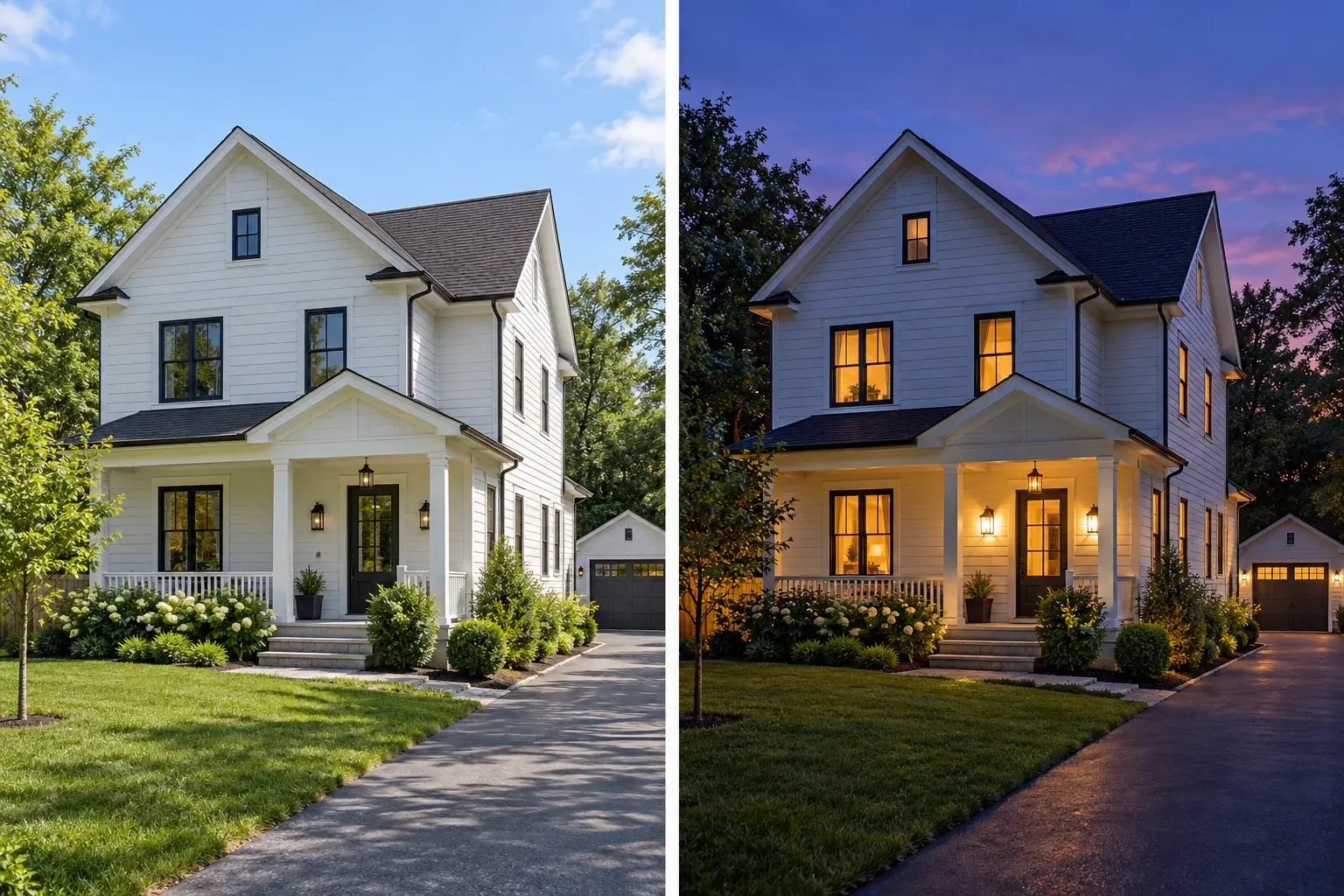
Illustrative daytime house beside a blue-hour version with warm window light
AI-generated concept illustration. This comparison explains the editing goal; it is not a verified output from this tool.

AI day to dusk is more than a darker sky

A believable twilight image needs the building and surroundings to agree with the new time of day. AI day to dusk editing asks for cooler ambient light, restrained warm windows and shadows that fit the scene. Begin with a clear exterior photo and specify the evening mood. Keep existing doors, rooflines, windows and garden features explicit. Simply adding a vivid sunset behind bright midday walls can create a mismatch, so describe the overall illumination as well as the sky.
Choose the twilight mood for the property

Soft blue hour can suit a bright facade with visible windows, while a restrained warm horizon can complement brick or stone. AI day to dusk prompts should account for the light sources already present. Ask for a glow from existing windows and porch lamps rather than adding fixtures everywhere. Preserve detail in darker parts of the image, including paths and landscaping. The paired exterior illustration explains the intended change without implying that the house was actually photographed at dusk.

AI Day to Dusk Photo Editor prompt ideas

Copy a prompt or load it into the editor, then adjust it for your photo. Loading a preset keeps your uploaded images and does not start generation.

Soft blue hour

Cool ambient light with restrained warmth from existing windows.

Prompt

Convert the uploaded daytime house exterior to a realistic early blue-hour scene. Preserve the building geometry, windows, doors, roof, landscaping and camera viewpoint. Use a soft blue-violet sky and cooler ambient light, with a modest warm glow from existing windows and porch fixtures. Keep facade and garden details visible. Avoid adding new lamps, windows, dramatic stars or exaggerated halos. Match shadows to the new light.

Warm twilight

A gentle sunset atmosphere without an overpowering sky.

Prompt

Show this property exterior at a calm warm twilight. Keep the original house design, windows, roofline, garden and framing unchanged. Add a restrained warm glow near the horizon and soften the overall daylight consistently. Illuminate only existing visible windows and light fixtures with natural intensity. Retain texture in the facade and driveway. Do not create a spectacular sky that dominates the property or add new landscape features.

Subtle evening edit

Keep the property readable with a light evening treatment.

Prompt

Make a subtle evening version of this daytime property photograph. Keep the same building, fixed features, plants, paths and viewpoint. Reduce harsh daylight gently, use a quiet cool sky and add limited warmth to existing illuminated areas. Maintain clear detail in the exterior walls and foreground. Avoid deep black shadows, glowing outlines, extra windows or new lighting fixtures. Keep the result understated and photographic.

Read the virtual staging prompt guide for furnishing briefs, reference instructions and troubleshooting.

How to use AI day to dusk

  1. Step 1

    Upload an exterior photograph

    Choose a sharp view with a visible sky and readable building details. Strongly clipped highlights and very dark areas leave less information for AI day to dusk editing.

  2. Step 2

    Describe the evening light

    Choose a twilight brief and adjust the sky color and warmth. Tell the editor which windows and fixtures already exist and which exterior details must remain.

  3. Step 3

    Check the entire scene

    Compare rooflines, window counts, tree edges and reflections with the original. Inspect the facade as closely as the sky before saving the version you prefer.

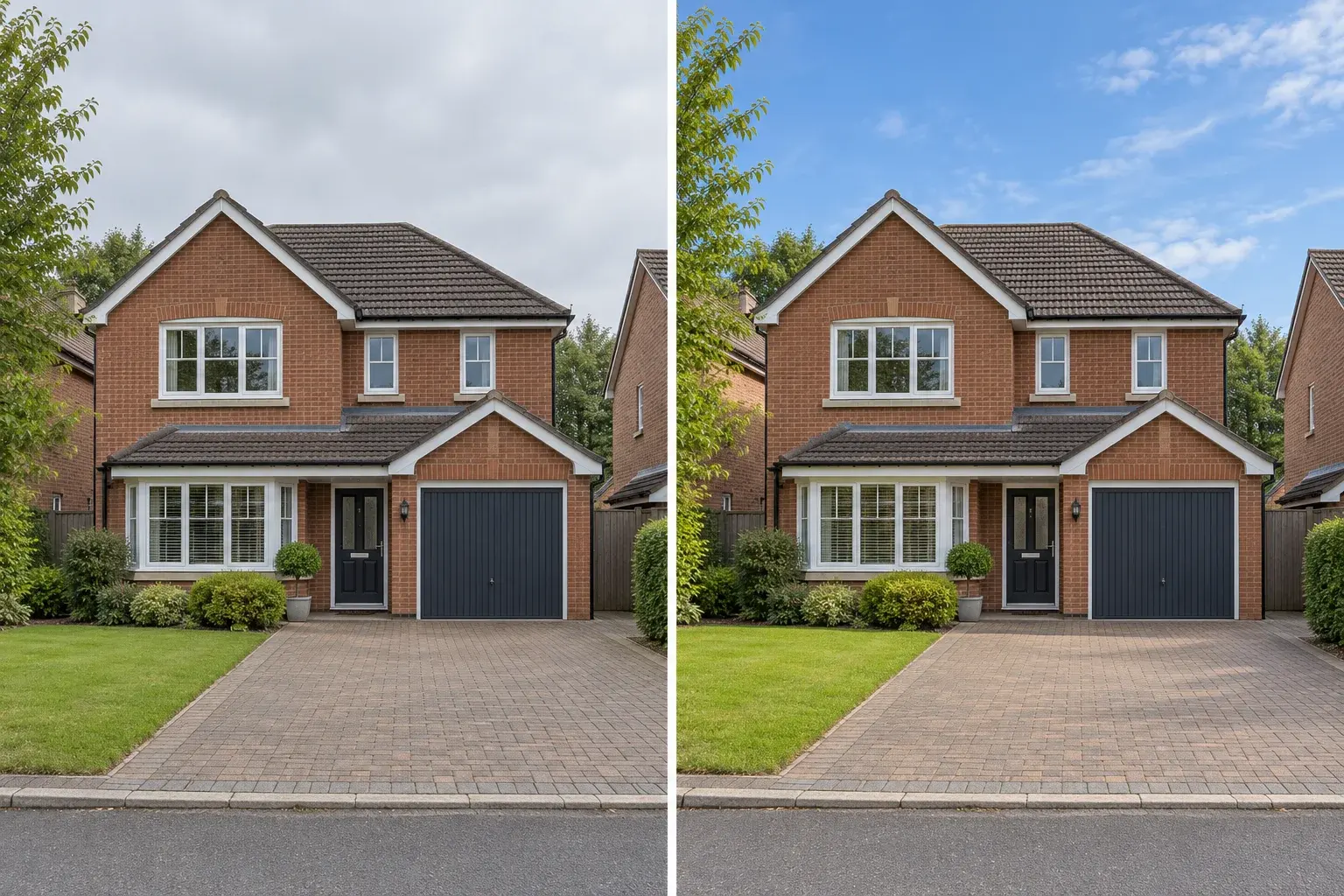
Illustrative gray-sky exterior compared with a daytime blue-sky treatment
Illustrative design comparison, generated with AI. Use it to understand the workflow rather than predict an exact result.

Know when a daytime sky replacement is enough

If the photograph only has a gray sky, an evening conversion may be unnecessary. A daytime sky replacement can keep the original lighting mood and make a smaller change. AI day to dusk is appropriate when you want an evening atmosphere across the whole scene. Use the sky replacement tool for a brighter daytime interpretation instead. These are separate visual tasks, even though both may change the sky, and each needs a different instruction for the facade and shadows.

Prepare your photo for AI day to dusk editing

A moderately lit facade is a more flexible starting point than a heavily overexposed wall. Keep enough sky in the image to establish the new atmosphere, but do not crop out the driveway or garden just to make the sky larger. AI day to dusk can reinterpret illumination; it cannot reconstruct unseen building details with certainty. For a property presentation, retain the original daytime image and make the digitally altered nature of the twilight view clear to viewers.

AI Day to Dusk Photo Editor: practical questions

Can AI day to dusk work with an overcast photo?

Yes, you can start with a cloudy exterior and request an evening scene. Ask for matching ambient light across the house and garden, not only a new sky. Check that windows, trees and the roof edge remain recognizable after the conversion.

Will the editor turn on every window light?

You can ask for a restrained glow from existing windows, but exact panes are not individually controlled by this prompt workflow. If too many windows become bright, request fewer illuminated areas and a lower light intensity in the next attempt.

Is AI day to dusk the same as virtual twilight?

In property photography, both terms commonly describe a digitally created evening view from a daytime photo. Here the tool generates that visual interpretation from your image and instruction. It is not a substitute for an actual photograph captured at dusk.

Why does the garden look too dark?

The requested sky may be much later in the evening than the source scene supports. Try an earlier blue hour, ask to preserve foreground detail and reduce contrast. Avoid combining a very dark night sky with a request for a bright daylight garden.

Can I use it for interiors or aerial property photos?

You can try a matching prompt, but the presets here are written for exterior ground-level photos. Aerial views and interiors need different instructions for light direction and visible fixtures. Keep expectations tied to the information present in the original image.

How should I describe a twilight edit in a listing?

Make clear that the image is digitally altered and retain an original daytime view. Check your publishing platform requirements. Review the property itself for unintended changes, especially added fixtures, altered windows or missing features, before sharing the result.

Each generation uses the credits shown in the editor. View credit packages when you need more.

Try AI day to dusk with your exterior photo

Start with your own photograph, choose a focused brief and review the result against the original.

Start editing