Your room, with a different point of view.

AI Room Redesign

Explore a new look for the room you already have. AI room redesign turns your room photo and a design brief into a visual concept, from a calmer bedroom to a warmer living room. Describe the furniture, colors and finishes you want to change.

Upload your property or room photo

JPG, PNG or WebP. Use a clear photo with visible architectural details.

Open, create, download.

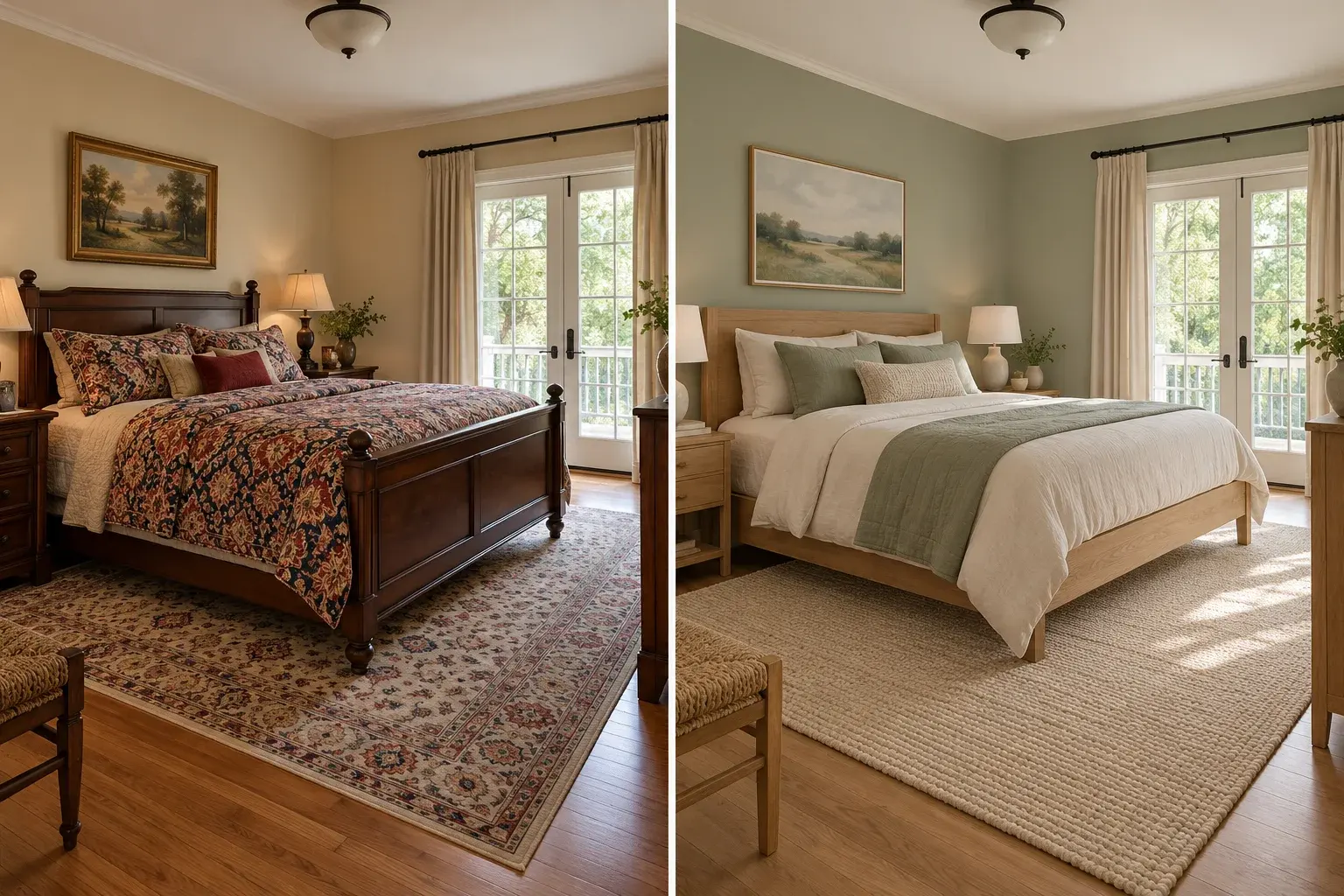
Illustrative traditional bedroom and a contemporary redesign with sage bedding
AI-generated concept illustration. This comparison explains the editing goal; it is not a verified output from this tool.

AI room redesign begins with a real photograph

A mood board suggests a style, but your room photo supplies the windows, floor area and existing layout that make the idea personal. AI room redesign uses those visual cues to propose a new arrangement or finish palette. Start with one clear viewpoint and decide which architectural features should remain. If the room is small, describe a restrained furniture plan rather than a sprawling magazine interior. The aim is to explore a direction you can evaluate, not to produce a measured construction drawing.
Change the style without changing everything

Useful design experiments keep some decisions stable. Retain your existing sofa while trying lighter walls, or keep a bed while changing textiles and bedside furniture. AI room redesign works from the entire brief, so conflicting requests can lead to unwanted changes. Identify the pieces you intend to reuse and describe the new materials around them. A clear palette such as sage, cream and oak is easier to compare than a long list of unrelated style names.

AI Room Redesign prompt ideas

Copy a prompt or load it into the editor, then adjust it for your photo. Loading a preset keeps your uploaded images and does not start generation.

Warm contemporary living room

Keep the architecture and change the furnishing palette.

Prompt

Redesign the uploaded living room in a warm contemporary style. Keep the walls, windows, doors, ceiling height and photograph viewpoint unchanged. Use a comfortable cream sofa, oak furniture, a textured neutral rug and restrained warm lighting. Leave clear walking routes and avoid oversized pieces. Keep visible fixed fixtures and the existing floor footprint. Present a believable room concept rather than a luxury showroom.

Calm bedroom refresh

Explore softer color and textiles with the bed position retained.

Prompt

Refresh this bedroom with muted sage, cream and natural oak details. Keep the bed in its original position, preserve the windows and doors, and retain the same camera viewpoint. Replace busy bedding with simple linen, add compact bedside lighting and reduce decorative clutter. Keep the room proportions and realistic access around the bed. Do not add windows, remove walls or expand the space.

Keep my sofa

Try a new style around one existing item.

Prompt

Restyle this room while keeping the existing main sofa, including its color, shape and position. Change the surrounding movable accessories to a coherent neutral palette with a simple rug, small coffee table and soft lighting. Preserve the floor, walls, windows, doors and room proportions. Keep the original photograph viewpoint. Do not replace the sofa or invent new architectural openings.

Read the virtual staging prompt guide for furnishing briefs, reference instructions and troubleshooting.

How to use AI room redesign

  1. Step 1

    Upload the room you want to change

    Use a bright photo that includes the main furniture and architectural features. A single consistent viewpoint makes different AI room redesign ideas easier to compare.

  2. Step 2

    Choose what stays and what changes

    Pick a brief, name the items you want to reuse, and limit the palette to a few materials or colors. Add your own preferences before generating.

  3. Step 3

    Review the concept in practical terms

    Check access, furniture size and the features you planned to retain. Save an appealing direction, then verify measurements, material samples and available products in the real room.

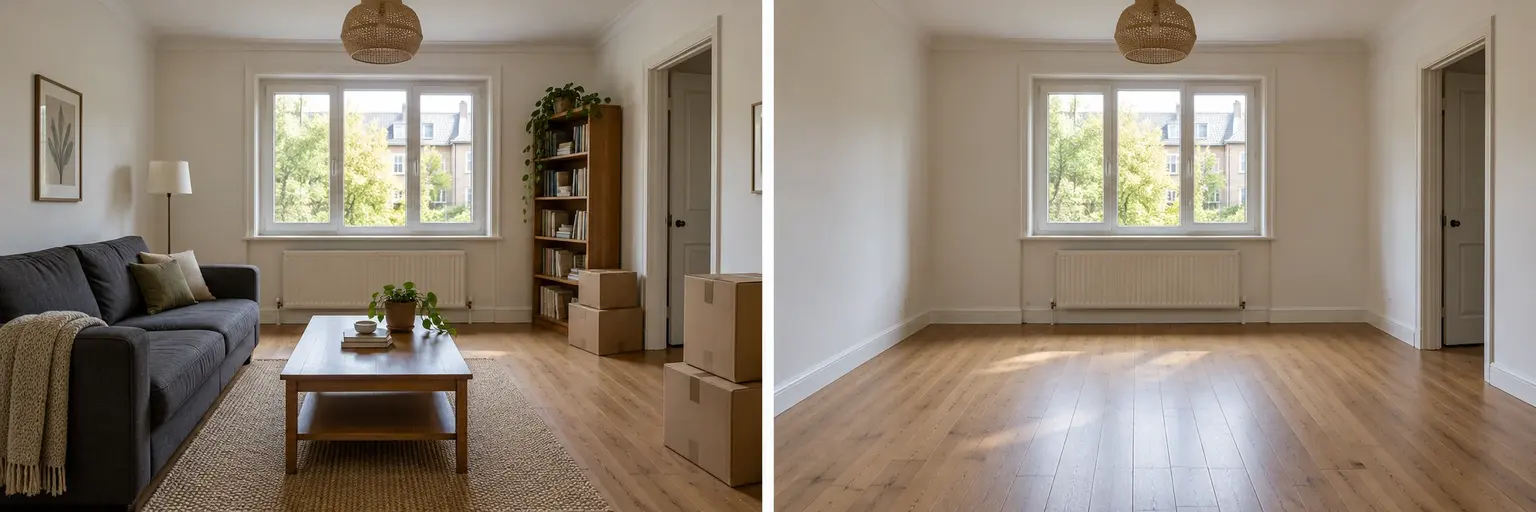
Illustrative room clearing before a new design direction
Illustrative design comparison, generated with AI. Use it to understand the workflow rather than predict an exact result.

Compare a refresh with a complete restyle

A refresh can focus on paint, rugs, lamps and soft furnishings. A complete concept can replace movable furniture and suggest a new room purpose. AI room redesign supports both approaches through editable prompts, but larger requests introduce more invented details. Clear unwanted furniture first if it dominates the photograph. The room-clearing illustration shows a possible preparation step; you can also work directly from the furnished image when preserving selected pieces is important.

Make AI room redesign useful for your next decision

Choose a question you can answer from the image: would a lighter rug suit the sofa, could a quieter palette make the bedroom feel calmer, or should the spare room become an office? Keep the original photo and use the same viewpoint when comparing variations. AI room redesign can illustrate these choices, but the output does not include a shopping list, cost estimate or measured floor plan. Narrow the next request to the one detail that matters instead of repeatedly replacing the whole concept.

AI Room Redesign: practical questions

Can AI room redesign keep my existing furniture?

Name each item to retain and describe its location, color or shape. The editor may still alter fine details, so compare the result with the original. A short keep list is easier to check than asking to preserve everything while changing the whole style.

Can I redesign a rented apartment without major changes?

Use a refresh brief limited to movable furniture, rugs, lamps and textiles. Explicitly keep the flooring, wall finish and fixtures. The output is an idea to discuss and assess; it does not determine which alterations your rental agreement permits.

Does AI room redesign create a measured layout?

No. The generated concept interprets perspective from a photograph. It does not calculate usable dimensions, furniture clearances or structural feasibility. Measure the actual room and check product dimensions before using an image to guide a purchase or renovation.

Why did the window move in my redesign?

A broad transformation prompt can regenerate architectural details. Start again from the original, explicitly keep the window and door locations, and reduce the requested changes. If the opening still moves, discard that result rather than treating it as an accurate layout.

How is redesign different from virtual staging?

Virtual staging generally adds furnishings to show the use of an existing space. Redesign explores a new visual direction, which may include colors and materials. Choose staging for a furnishing preview and a redesign brief for personal style exploration.

Can I compare two styles on the same room?

Yes. Reuse the same source photo and generate each style separately. Keep the architecture and the main furniture constraints identical in both prompts. Compare the specific materials and colors you asked to change, rather than unrelated differences introduced by the model.

Each generation uses the credits shown in the editor. View credit packages when you need more.

Start an AI room redesign with your own photo

Start with your own photograph, choose a focused brief and review the result against the original.

Start editing