AI Landscape Design From Your Yard Photo

Upload your yard, describe the changes, and picture a garden you’ll love spending time in.

Upload your yard photo

Upload the yard first. Add an optional style reference with the + button.

Choose a starting instruction

Clean paving, layered planting and a welcoming patio.

AI landscape design ideas for your outdoor space

AI landscape design turns a photograph of your outdoor space into a visual starting point for your next project. Explore how a new patio, softer planting or a welcoming entrance could fit around your home. Begin with the features you already have, then describe the changes that matter to you. The examples below show different design directions you can bring into your own brief, from a compact courtyard to a garden made for relaxed outdoor dinners.

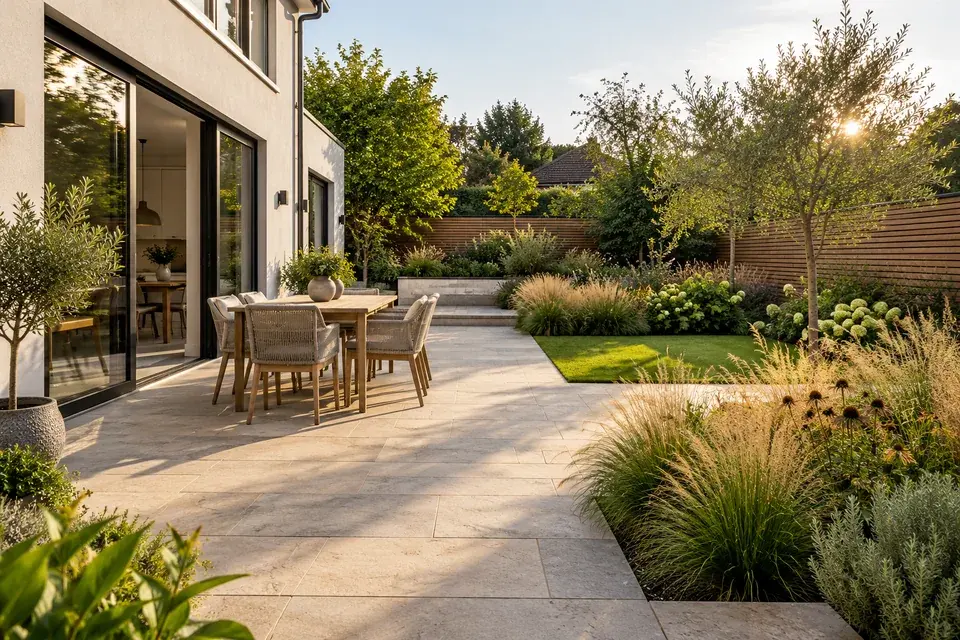
Modern patio and layered planting concept

Give your backyard a modern, welcoming feel

Bring the house and garden together with clean paving, generous planting beds and a comfortable place to sit. AI landscape design helps you picture these elements in the same view, making it easier to judge whether warm timber, pale stone or soft grasses suit your home. Start with a photo that includes the back wall, doors and garden boundaries so the redesign has useful visual anchors.

Describe how you want to spend time outside: dinner with friends, a quiet morning coffee or space for children to play. Ask to keep the existing doors and mature trees, then specify the new patio location and planting mood. This gives your concept a clear purpose as well as a coherent look.
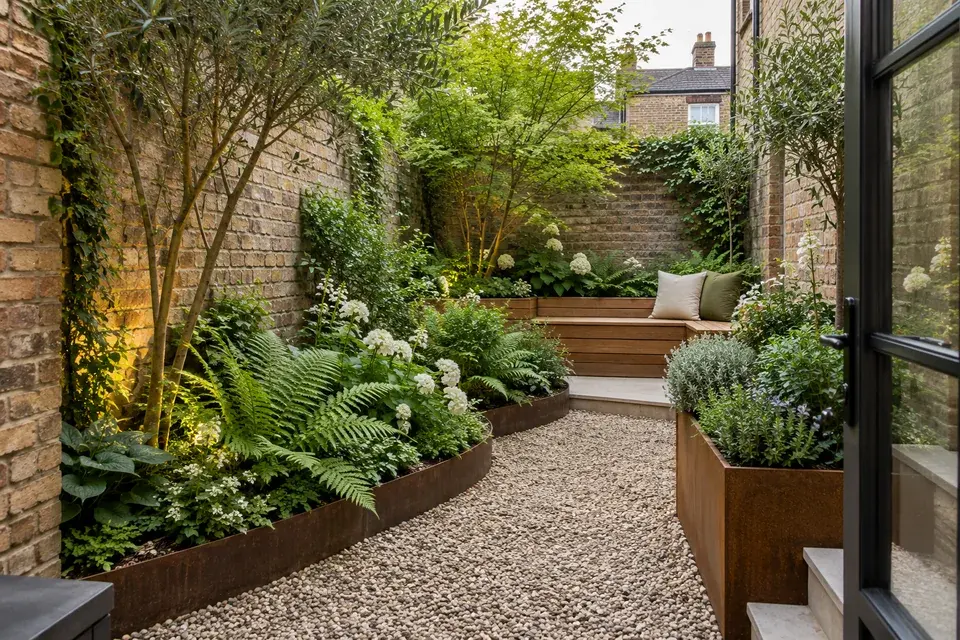
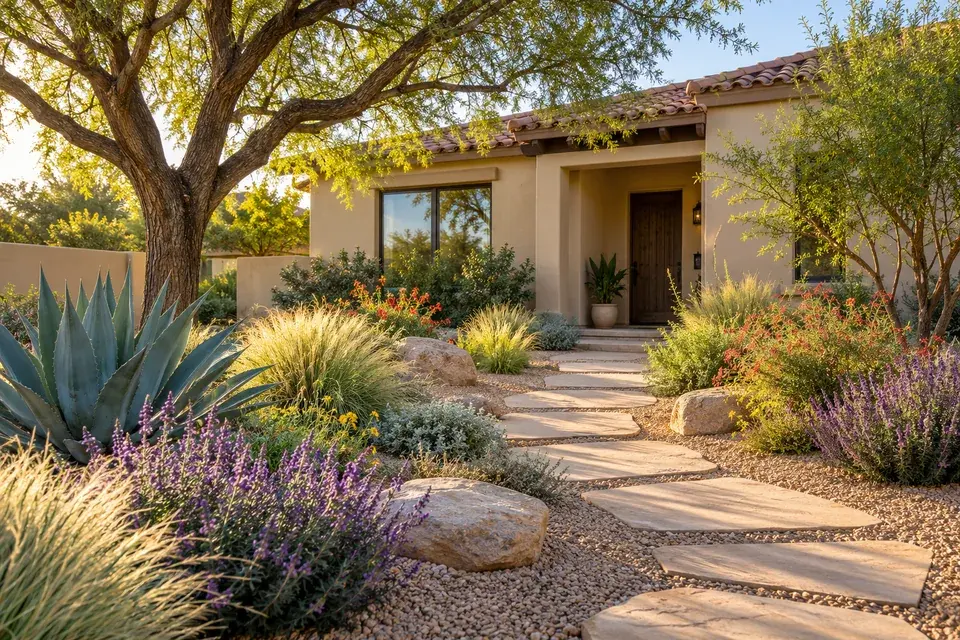
Compact courtyard with a bench and layered borders

Make a small courtyard feel considered

A narrow courtyard can become a useful outdoor room when the seating, path and planting work together. Use AI landscape design to explore a bench along one wall, tall greenery around the edges or a small central area for a table. The aim is to see how each element contributes to the space you actually have, with enough open ground to move comfortably.

Upload a view from the doorway and identify the entrance, walls and features to retain. Try a brief such as “Keep the brick walls, add a timber bench on the far side, and use ferns with a pale gravel path.” Small, specific changes help you compare practical directions for an awkward corner.

Gravel, sculptural plants and a shaded path

Explore a garden with less lawn

Visualize the character of a garden built around gravel, sculptural plants and generous paths. AI landscape design lets you explore the visual balance of open ground and planting before settling on a direction. A low-water garden style can feel lush through varied leaf shapes, soft grasses and a restrained color palette, while a mature tree provides a natural focal point.

Use the description to name the plants or materials you already prefer and the lawn areas you want to replace. Mention your region when it helps communicate the desired landscape character. Save your favorite concept as a visual brief, then choose locally suitable plants and materials as you develop the planting plan.

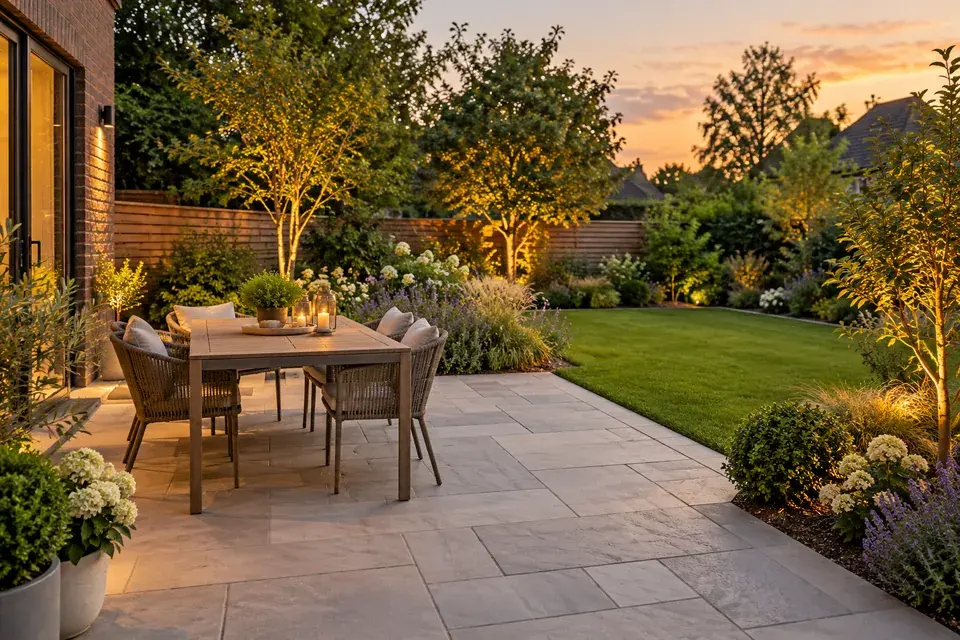
Dining patio with a gentle transition to lawn

Picture a patio that belongs to the garden

A patio works best visually when its edges, furniture and surrounding planting feel connected. Try AI landscape design to compare a wide dining terrace with a smaller seating area, or warm paving with a cooler stone finish. Seeing the materials beside your own house gives the decision more context than looking at isolated product samples.

Tell the tool where the patio should begin, which access route should remain clear and what furniture you want to include. For a relaxed dining area, ask for a table near the house and planting along the outer edge. Keep the rest of the brief steady when comparing another paving color so the material choice is easier to evaluate.

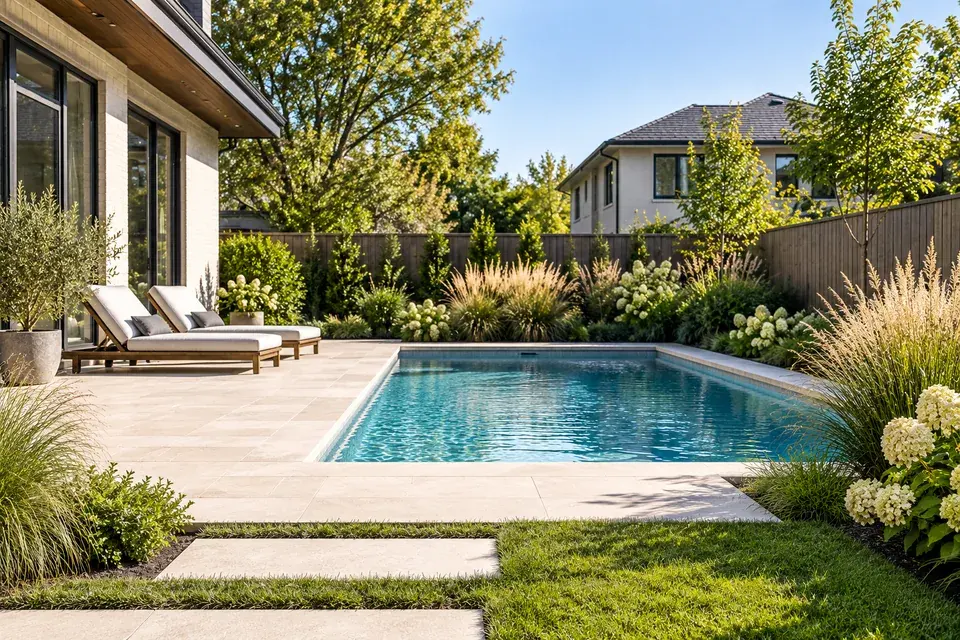
Poolside planting and pale stone terrace concept

Refresh the space around a pool

Turn a pool area into a more cohesive part of your backyard by exploring deck finishes, planting borders and places to relax. AI landscape design can visualize a softer garden setting around the existing pool, with greenery that frames the water and furniture that suits the scale of the space. A single wide photo helps connect these elements to the surrounding house and fencing.

For a focused refresh, ask to retain the pool shape and location while changing the nearby surfaces and planting. Identify the access you want to keep and the areas that should stay open. Use the image to discuss the look and layout with your project team as you plan the work.

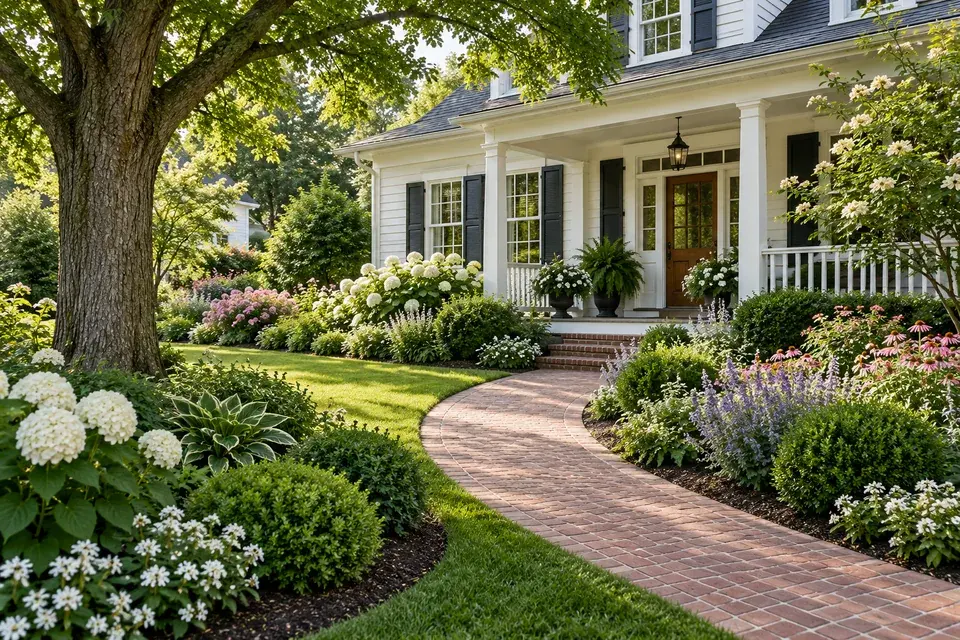
Cottage entrance with a curved brick walkway

Create a more inviting first impression

Bring attention to your front door with a clear walkway, layered flower beds and planting that complements the architecture. AI landscape design helps you explore curb appeal as a complete composition: the house, path, lawn edge and garden all appear together. A cottage can feel welcoming with soft flowering borders, while a contemporary facade may suit simpler plant shapes and repeated materials.

Take the source photo from a position that shows the entrance and the full area you want to change. Ask to preserve the porch, windows and driveway, then describe the path and planting you want to add. A concrete brief makes the new garden easier to recognize as a redesign of your own home.

How to use AI landscape design

  1. 1. Start with a clear view of your space

    Upload a JPG, PNG or WebP photo of your yard. Choose daylight and a viewpoint that includes the ground, boundaries and house where possible. If you have a favorite garden image, add it as a separate style reference; the first photo remains the yard to redesign.

  2. 2. Describe the garden you want to live in

    Choose a style, then explain what should change and what should stay. Include the main activity, a few materials and any important existing features. AI landscape design is easier to steer with “add a small dining patio and keep the oak tree” than with a long list of unrelated ideas.

  3. 3. Generate, compare and save your direction

    Choose an image shape and create your concept. Download the result before exploring another variation. Keep notes on the features you like, then refine one part of the brief at a time. Your saved images become a useful starting point for a conversation about the next stage of the garden.

A useful garden brief starts with three decisions

First, name the activity the garden should support. Second, identify the existing features that give it character. Third, choose a small family of materials and plants. Together, these details help AI landscape design produce a direction with a clear identity. For example: “Create a relaxed cottage garden for reading outdoors. Keep the brick wall and apple tree. Add a curved gravel path, a wooden bench and white flowering borders.” You can then explore a more formal or contemporary version while keeping the same priorities.

Questions about AI landscape design

Can I redesign my own yard from a photo?

Yes. Your uploaded photo is the starting point for the redesign. Include the areas you want to change in the frame and describe the features to keep. AI landscape design uses both the image and your brief to create a new visual direction for that space.

Can I keep my house, fence and favorite tree?

Yes, make those preservation goals explicit in your description. Name the feature and its location, such as the large tree on the left or the brick fence at the back. For a detailed yard, focus the requested changes on one area, then review the important features in the result.

How do I compare two garden styles?

Use the same yard photo and keep your main requirements consistent. Generate one version, download it, then change the style or a specific material and create another. This keeps your comparison focused on the decision you want to make, such as modern paving versus a softer cottage path.

What kind of plan will I receive?

You receive a downloadable visual concept showing the proposed garden appearance. Use it to communicate layout, planting mood and materials. Measured construction drawings and a site-specific planting specification belong to the next planning stage; this tool helps you choose and explain the design direction.

What does a generation cost?

Sign in to see the credit cost on the generate button. Choose your model and settings, then generate and save your result. You can view available credit packs through the pricing options and find completed work in My generations.

Start your AI landscape design

Start an AI landscape design with one photo and a few ideas. Explore the garden you want to come home to.

Upload my yard photo