
The world of Artificial Intelligence is moving faster than ever. Just when we thought we had seen the peak of AI image generation with models like Nano Banana Pro, a new giant has entered the room. OpenAI is currently testing its latest breakthrough: GPT Image 2.
If you are a creator, a marketer, or just someone who loves playing with AI, you need to pay attention. GPT Image 2 isn't just a small update; it’s a total game-changer.
What Exactly is GPT Image 2?
GPT Image 2 is the next step in OpenAI’s journey to create "native" AI images. Unlike older systems that used separate tools (like DALL-E 3) to create pictures, GPT Image 2 is built directly into the GPT-4o architecture.
This means the AI doesn't just "draw" a picture; it understands the logic behind the image. Whether it’s a complex layout, specific lighting, or even tiny details in a person’s eyes, GPT Image 2 handles it with ease.
Why it Beats Nano Banana Pro
While Nano Banana Pro has been a favorite for many due to its speed and accessibility, GPT Image 2 pushes the boundaries of what is possible. The most significant difference lies in "spatial reasoning"—the ability to put objects exactly where you want them without the AI getting confused.
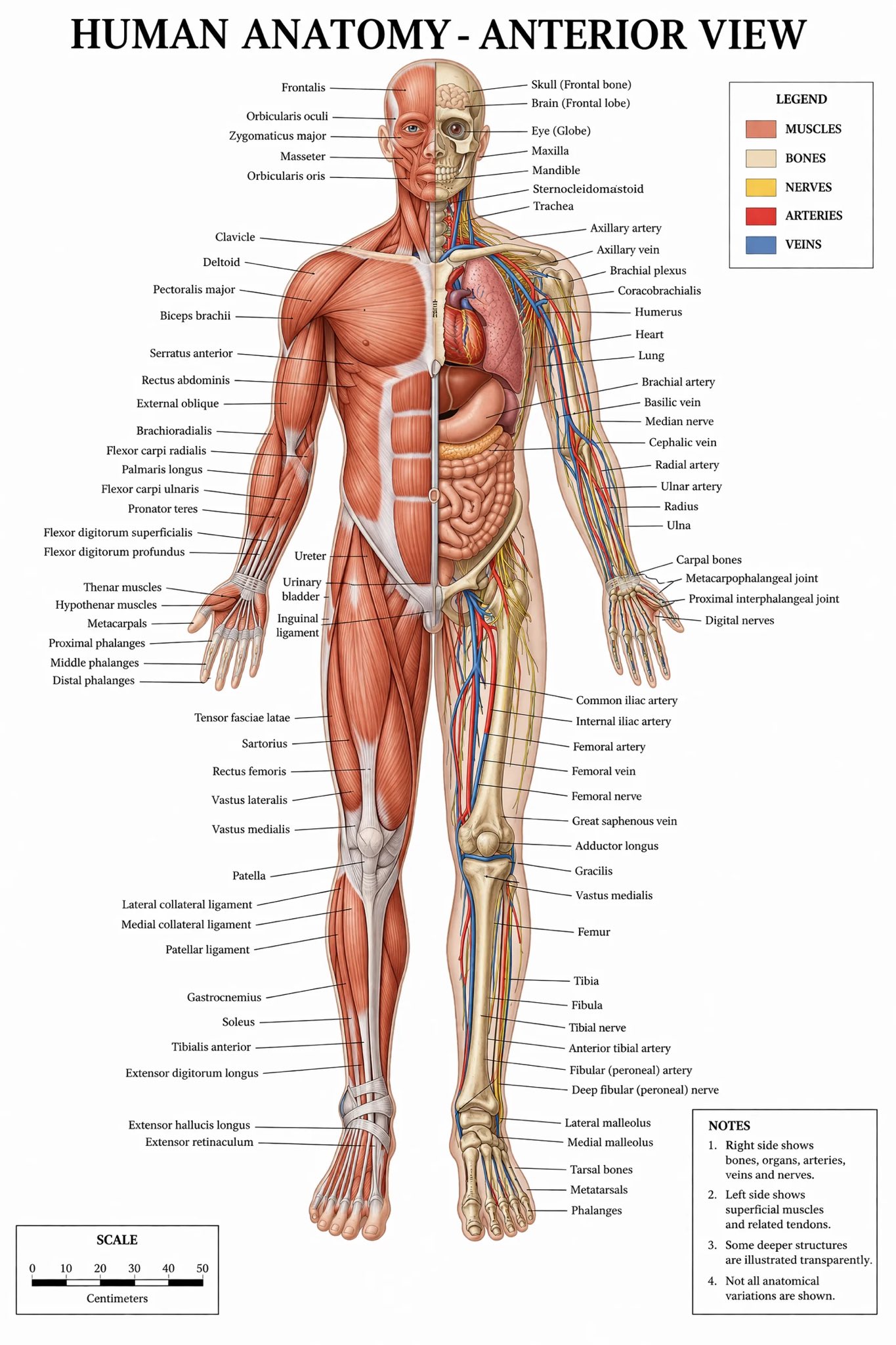
1. The Killer Feature: Perfect Text Rendering
The biggest headache for AI users has always been text. We have all seen those "AI fails" where a simple sign says "GIBBERISH" instead of "HELLO."
GPT Image 2 has finally fixed this. It features near-perfect text rendering.
- No more typos: It can write long sentences inside an image without missing a letter.
- Font consistency: The text actually looks like it belongs on the surface it’s written on (like a curved coffee mug or a neon sign).
- Design-ready: You can generate posters, social media ads, and flyers that are ready to use immediately.
2. Professional UI and Web Design
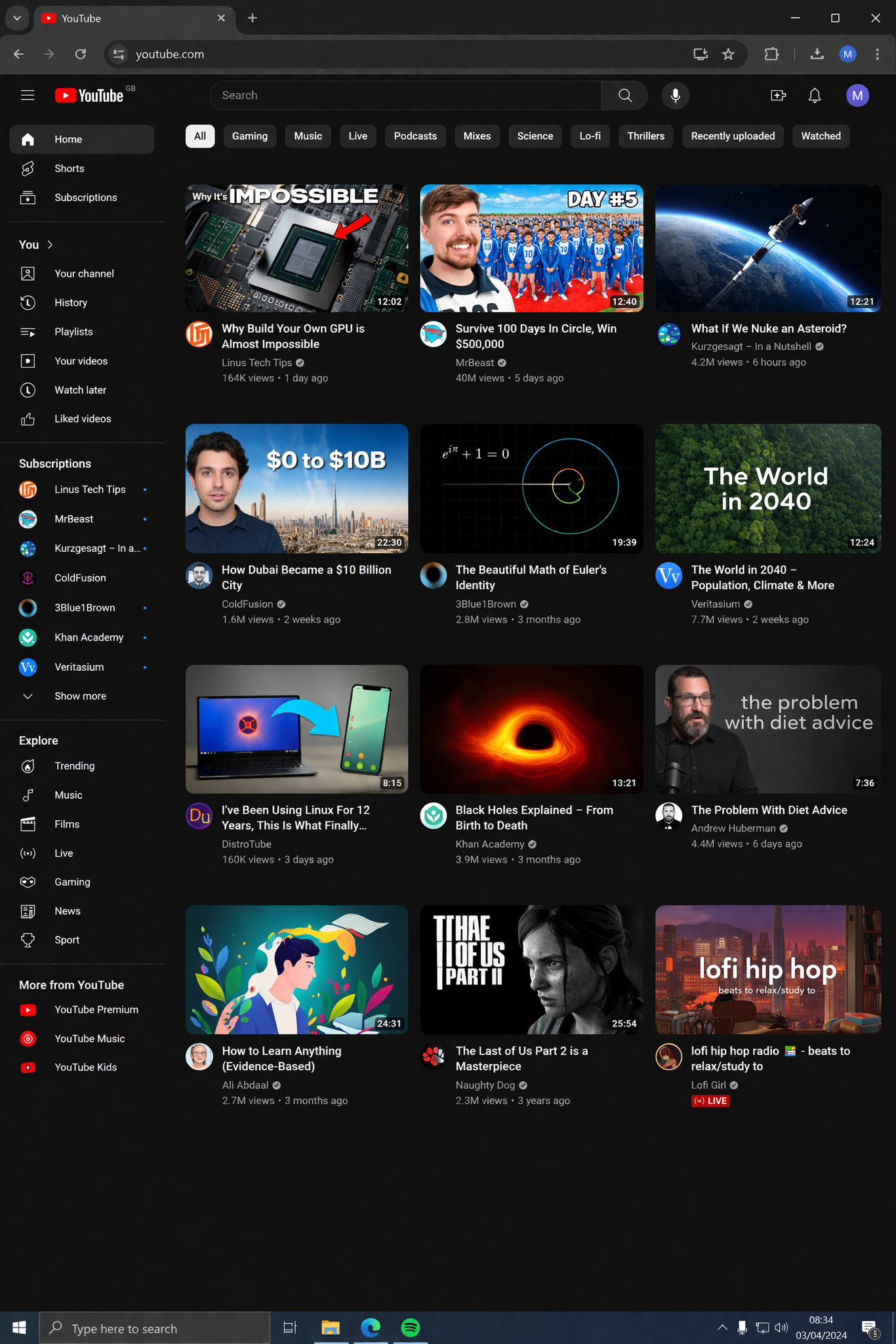
If you are a web developer or a UI/UX designer, GPT Image 2 is going to be your best friend. In early tests, it has shown an incredible ability to generate realistic website screenshots and mobile app interfaces.
While Nano Banana Pro often creates messy layouts, GPT Image 2 understands:
- Button placement: It knows where a "Search" bar should go.
- Modern Aesthetics: It follows current design trends like Glassmorphism or Minimalist UI.
- Data Visualization: It can create charts and dashboards that look like real software.
3. Incredible Photorealism: The "Uncanny Valley" is Gone
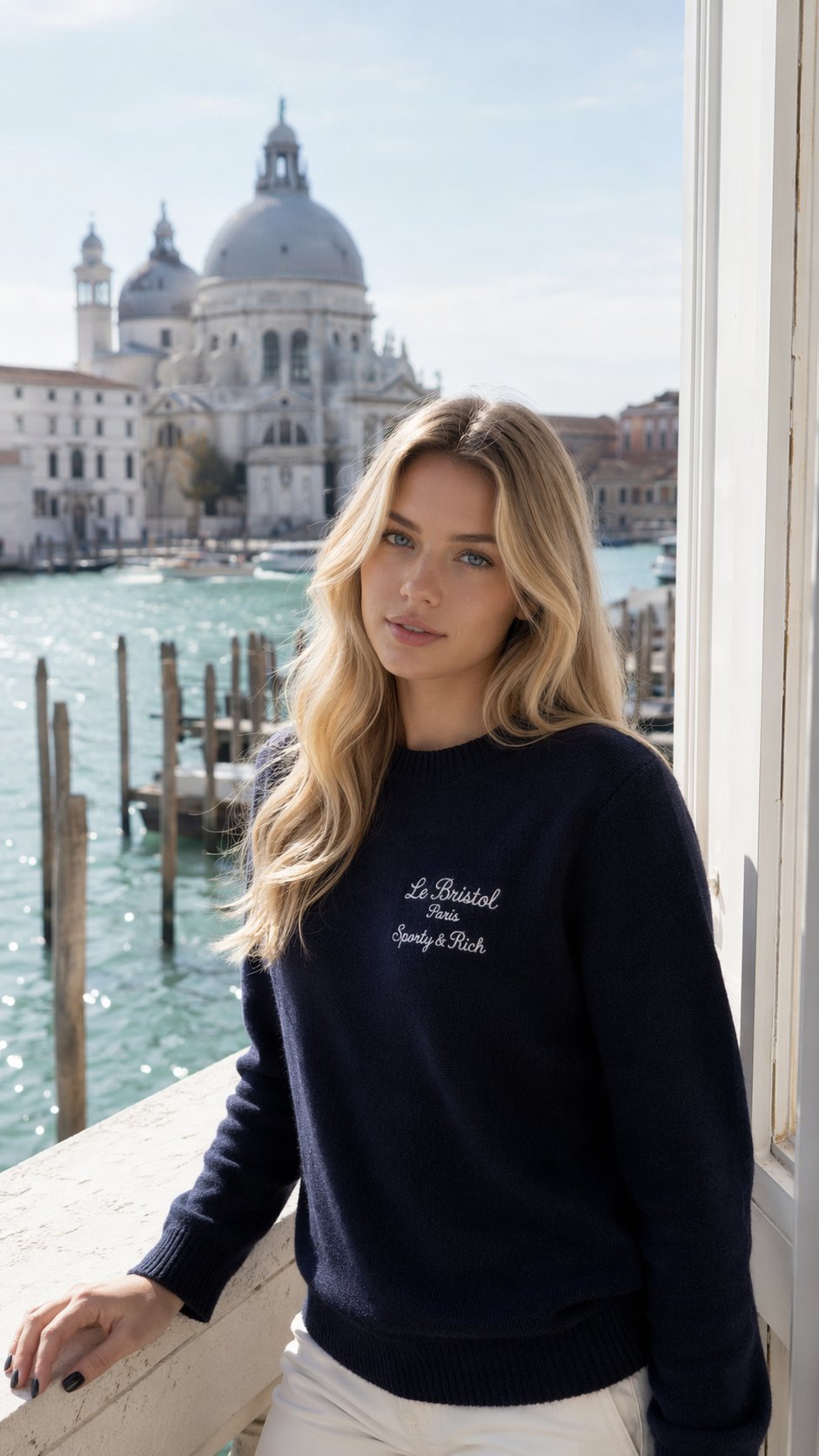
We used to say "It looks good for an AI." With GPT Image 2, we can just say "It looks good." The model has made massive leaps in how it renders human skin, hair, and lighting.
One of the areas where it leaves Nano Banana Pro in the dust is "Lighting Logic." If there is a blue light on the left and a red light on the right, GPT Image 2 correctly mixes those colors on the subject’s face. This level of detail makes AI photos indistinguishable from real photography.
5. Better Instruction Following
Have you ever given an AI a long list of instructions, only for it to ignore half of them?
- "A man wearing a blue hat, holding a red apple, sitting on a green bench, with a yellow dog in the background..."
Older models (and even some versions of Nano Banana Pro) might forget the dog or change the color of the hat. GPT Image 2 is much better at "Prompt Adherence." It pays attention to every single word you type. This gives you more creative control and saves you time because you don't have to "re-roll" the image 10 times to get it right.
4. Deep Integration with AI Photo Editor
At AI Photo Editor, we are committed to bringing you the best tools. That is why we are excited to announce that AI Photo Editor will integrate GPT Image 2 as soon as it is officially released!
At AI Photo Editor, we know that a powerful model is only useful if it’s easy to use. Our platform is designed to take the raw power of GPT Image 2 and give you the controls you need to make it perfect.
When GPT Image 2 launches, you won't need to learn complex "prompt engineering." Our interface will allow you to:
- Edit specific parts of the image using GPT Image 2's advanced understanding.
- Upscale and enhance outputs for professional printing.
- Add your own style on top of the base model.
We are already preparing our servers. The moment OpenAI flips the switch, AI Photo Editor users will be among the first in the world to access GPT Image 2.
How to Prepare for the Launch
The official release date for GPT Image 2 hasn't been announced yet, but the "leaks" from A/B testing suggest it's coming very soon. Here is how you can stay ahead:
- Follow the News: Watch the OpenAI updates closely (or just follow our blog!).
- Practice Prompting: Start thinking about the complex designs you've always wanted to create but couldn't because of text or layout issues.
- Use AI Photo Editor: Get familiar with our tools now so you are ready to hit the ground running when the new model arrives.
Why Choose AI Photo Editor?
There are many AI tools out there, but we focus on one thing: Quality. By using AI Photo Editor, you get a professional-grade workspace. We don't just give you a "chat box"; we give you a full suite of editing tools that work with the AI. Whether you are a small business owner looking for social media content or a professional designer, our platform scales with your needs.
Conclusion: The Future of Creativity
The jump from Nano Banana Pro to GPT Image 2 represents a shift in how we think about AI. It’s no longer just a toy; it’s a professional tool. The ability to render perfect text, realistic UI, and photorealistic humans opens up millions of possibilities for businesses worldwide.
Don't get left behind. Experience the next generation of AI image generation with us.
Start Using AI Photo Editor Today
Join thousands of creators who are already building the future. Click the link below to get started for free!